Hearth and Hamlet Launch Checklist
Buy or sample, crash recovery, specs, and guides for the first week after the August 19 unlock.
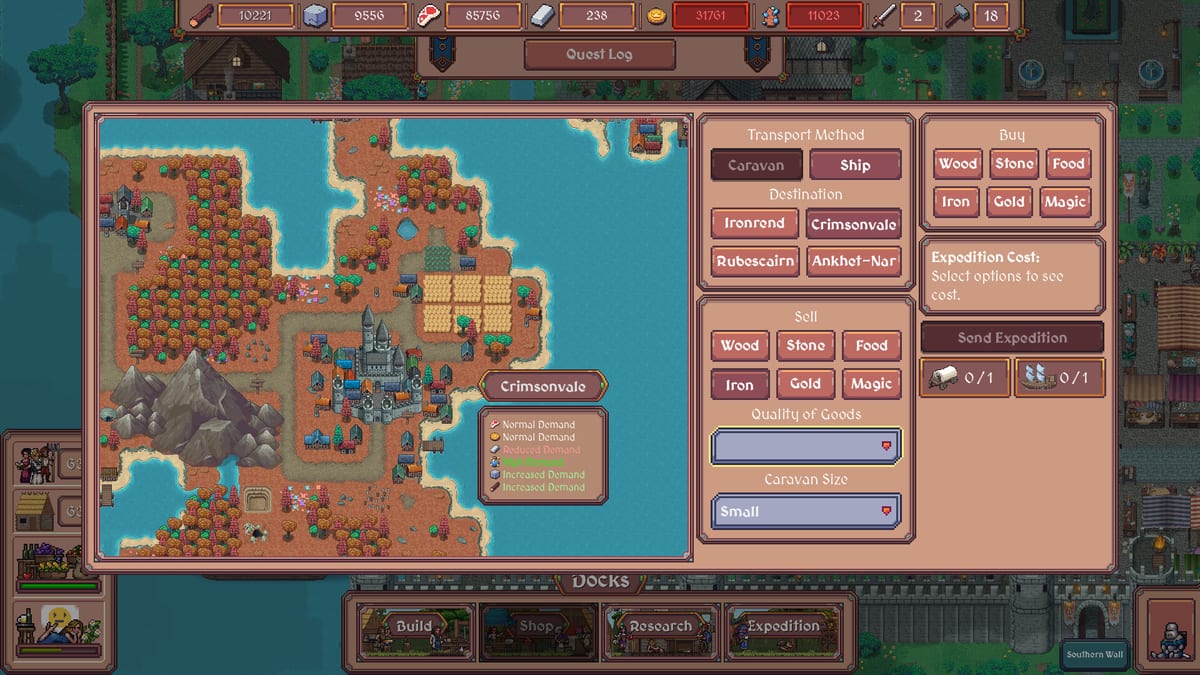
Use this launch checklist to play Hearth and Hamlet without wasting the first weekend on a crash or an empty pantry. The Steam store unlocked the full game on August 19, 2026 for Windows and Linux/SteamOS. Your job now is simple: confirm the buy button, verify hardware, recover from startup issues, practice the loop, and keep a short reading list so the first kingdom is joy instead of confusion.
Master checklist
1) Buy, sample, and follow official channels
- Open the Steam store page
- Buy the full game or install the remaining demo sample
- Join the official Discord if you want crash reports and hotfix chatter
- Follow the Steam community hub
- Bookmark this wiki’s Out now page for first-week facts
- Bookmark the Links hub for official destinations
2) Confirm system requirements
- Read system requirements
- Confirm Windows 10/11 64-bit or Ubuntu 20.04+ / SteamOS
- Confirm roughly 8 GB RAM free enough to play
- Confirm GPU around GTX 650+ (min) or GTX 750 Ti+ (rec)
- Confirm DirectX 11 on Windows
- Confirm ~1 GB free storage (plus Steam overhead)
- On Deck/handheld: test UI scaling early via controls
3) Install and comfort-tune the demo
- Install the Steam demo
- Set UI scaling (Automatic, then manual if needed)
- Set audio levels for long idle sessions
- Learn Shift+F11 hide UI
- Skim demo patch notes after any update
- Accept that some demo updates may invalidate old saves
4) Practice core loops (not just the tutorial)
- Keep food trending up (resources)
- Staff a woodcutter before vanity builds (buildings)
- Run the early table on the worker planner
- Graduate to the mid table with stone, happiness, and guards
- Pass a gentle tax and watch happiness (policies)
- Survive at least one raid-pressure moment with a guard house staffed
- Delay magic academies until basics are boringly stable
5) Build a short launch-day reading stack
- Buildings tier list for unlock order
- Research tier list for tech spending
- Workers tier list for staffing logic
- Guides hub for walkthrough-style pages
- Systems hub if you forget what a meter means
6) First 48 hours after buying
- Recheck Steam news for hotfix wording or save notes
- If the game will not start, open Troubleshooting
- Clear disk space ahead of a large update
- Start a brand-new save rather than dragging a demo kingdom
- Write three personal goals (example: stable food, first tavern, first successful draft)
7) Launch week (after August 19, 2026)
- Confirm the storefront still sells the full game
- Download/update through Steam
- Re-apply UI scaling and audio preferences
- Start fresh if demo migration is unsupported
- Follow your three personal goals before chasing every shiny research node
- Chase Achievements only after food is automatic
Why demo practice beats launch-day panic
Hearth and Hamlet sells a calm fantasy—campfire to kingdom—but calm still needs competence. Players who learn hold-to-gather bridges, storage caps, and draft timing in the demo will spend launch evening decorating a town. Players who skip practice will spend it rereading what food is.
Single-player helps: you can pause, reassign, and breathe. Use that. The checklist is not a speedrun; it is a confidence run.
Optional advanced prep
- Draft a personal policy package: modest tax, kind worker rules first, drafts on standby.
- Screenshot a favorite demo layout with Shift+F11 for layout inspiration later.
- Note which resource you personally mismanage (many players over-love gold).
- If you create content, label late-game magic spoilers clearly.
Anti-checklist (do not do these)
- Do not tell friends the full game is still upcoming.
- Do not max taxes on a hungry camp “for science” as your only practice.
- Do not ignore system requirements because the art is cozy.
- Do not assume every Steam screenshot building is in the demo right now.
- Do not skip happiness tools before guard drafts.
Related hubs to keep pinned
- Updates hub for timeline siblings
- Tools hub for specs and planner
- Tier List hub for priorities
- Systems hub for definitions
- Links hub for Steam URLs
Closing pep talk
Buy or sample. Verify specs. Play until food and wood feel automatic. Read one tier page and one systems page. Then enjoy a single-player cozy citybuilder the way it was marketed: patiently, cheerfully, and with a kingdom plan that survives first contact with a quarry bill.
Keep the core forever: feed the people, cut the wood, then dream about magic. Add crash recovery to the list if the executable will not start.
Frequently Asked Questions
Quick answers to the most common questions.
What is the most important first-week task?
Start a fresh full-game save, keep food and wood stable, and open Troubleshooting if the executable will not launch.
Do I need to finish every wiki page this week?
No. Clear specs, controls, one worker plan, and one building priority page are enough for a strong start.
Should I keep my demo save for the full game?
Plan to start fresh unless Steam explicitly supports migration. Some demo updates already broke older saves.
What should I do on launch day first?
Confirm the full game has actually unlocked, update through Steam, re-apply UI scaling, then pursue three small personal goals.
Where do I track the release date itself?
Use the Out Now and Release Date pages plus the official Steam store entry for the August 19, 2026 unlock.